From July to October 2025, I led the end-to-end product design push that took Flows from concept fragments to a coherent 0→1 experience aligned to the Canvas 25 launch.
Miro Flows launch demo: The final shipped experience.
The Challenge
Miro needed to evolve from a static whiteboard into an "AI-first canvas." The initial concept for AI workflows relied on complex "Instruction Blocks" and high-friction wiring that felt alien to the core Miro experience.
My role was to lead Flows around a unified model, replace high-friction primitives with in-context prompting, and establish a clear separation between ad-hoc creation (Sidekicks) and scalable automation (Flows).
Phase 1: Early Exploration
The initial prototypes focused on a dedicated "widget" approach. We quickly found this created high cognitive load—users struggled to understand what the widgets were for or how to connect them. It felt like "programming" rather than "creating."
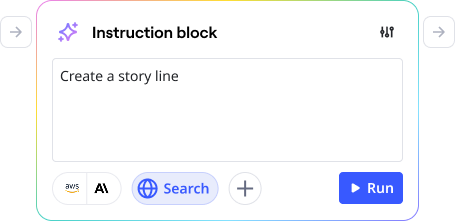
Early exploration: Testing the initial widget-based flow concepts.
Phase 2: The Expert Builder Trap
We explored a dedicated "Flow Builder" surface—a separate view for experts to construct complex logic, similar to Zapier or n8n. While powerful, it was too technical for our core audience and disconnected from the canvas where the work actually happens. We pivoted away from this "architected skyscraper" approach to favor a more lightweight, in-context model.
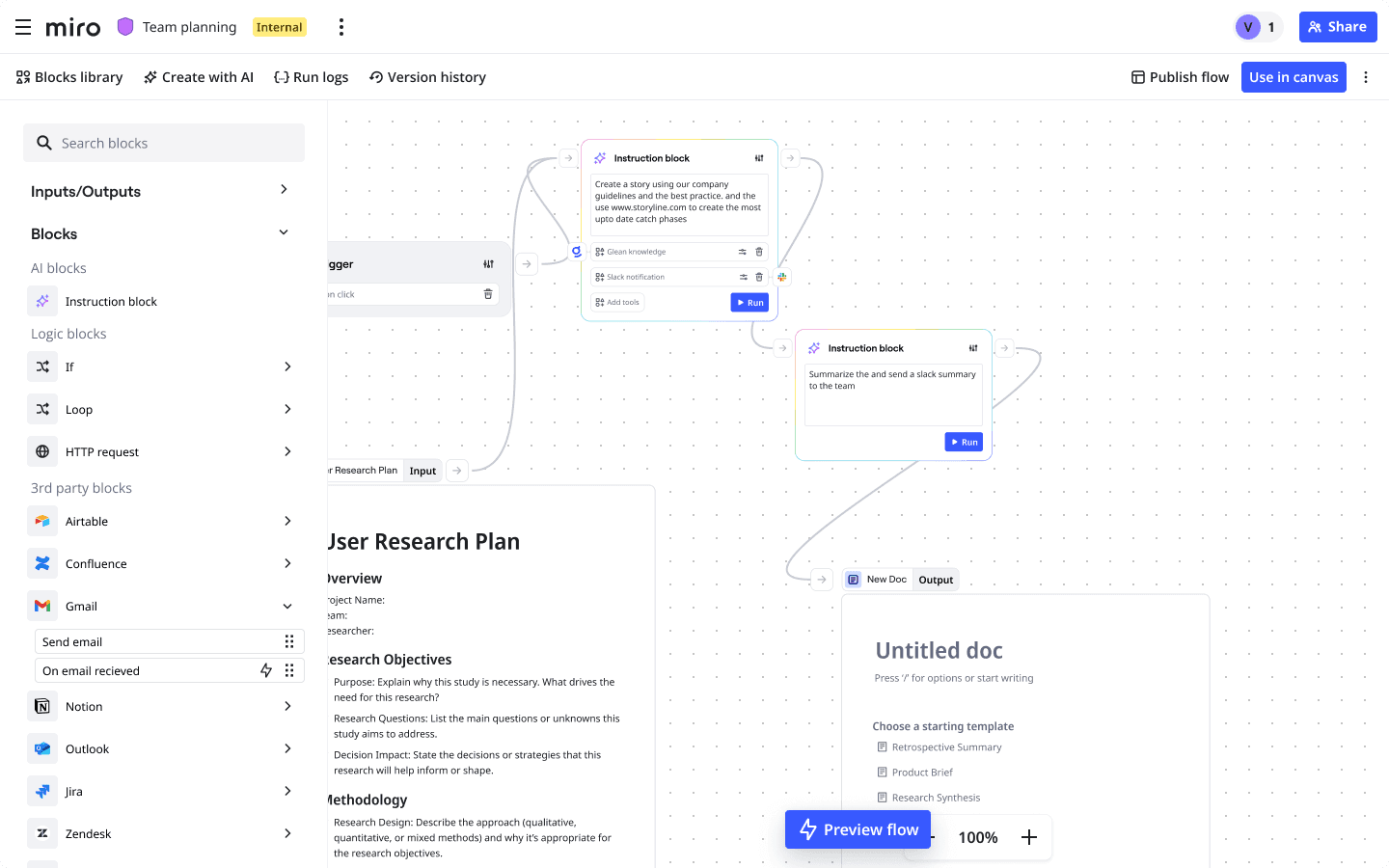
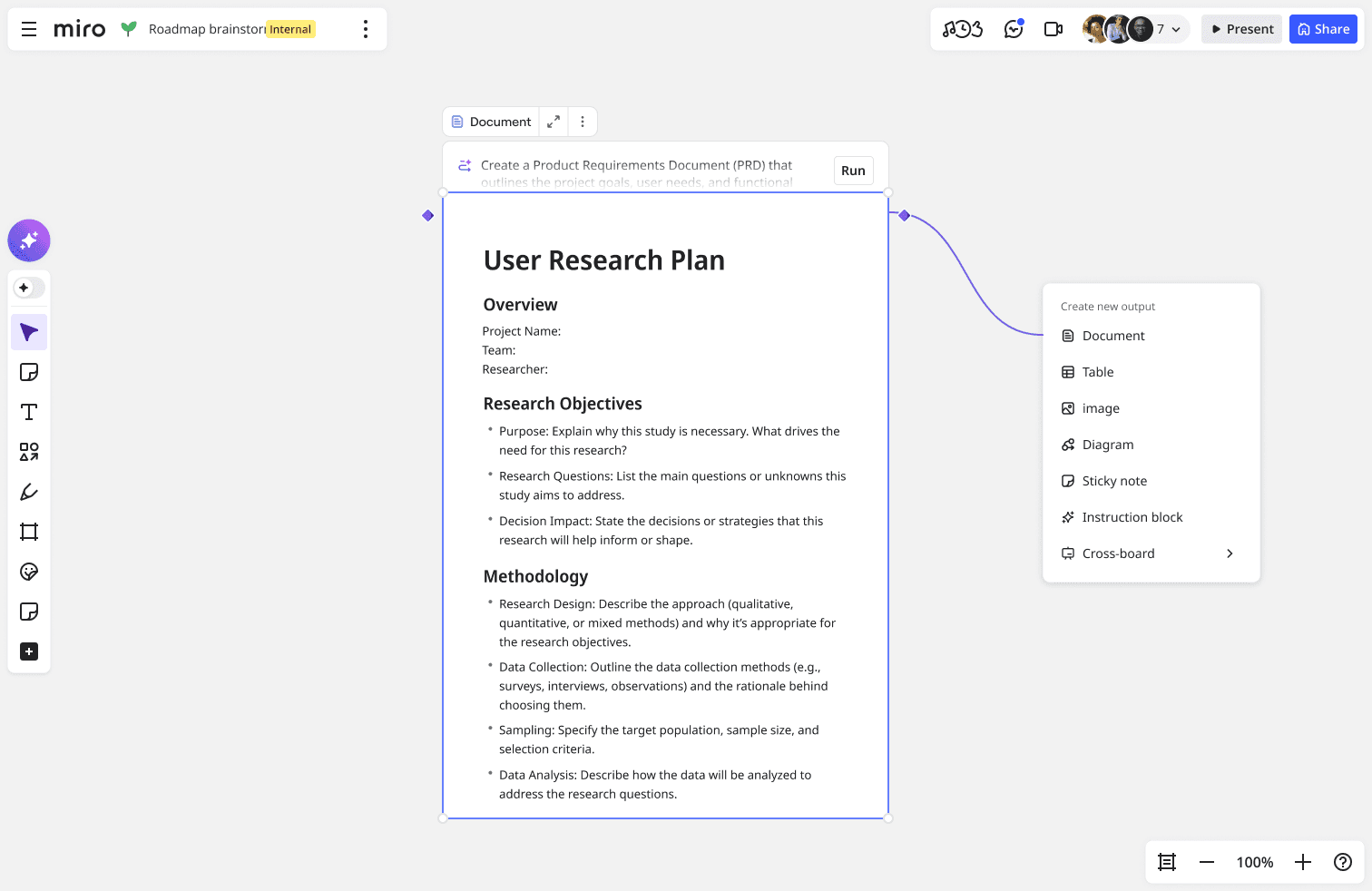
The Pivot: Canvas-Native AI
We moved to a "prompt follows the user" model where Flows works across all native Miro formats (docs, tables, shapes). Users can add flows directly to the objects they were already using.
By removing the need for additional connector lines and widgets, we drastically reduced visual complexity and connection "spaghetti," making the feature accessible to non-technical users.
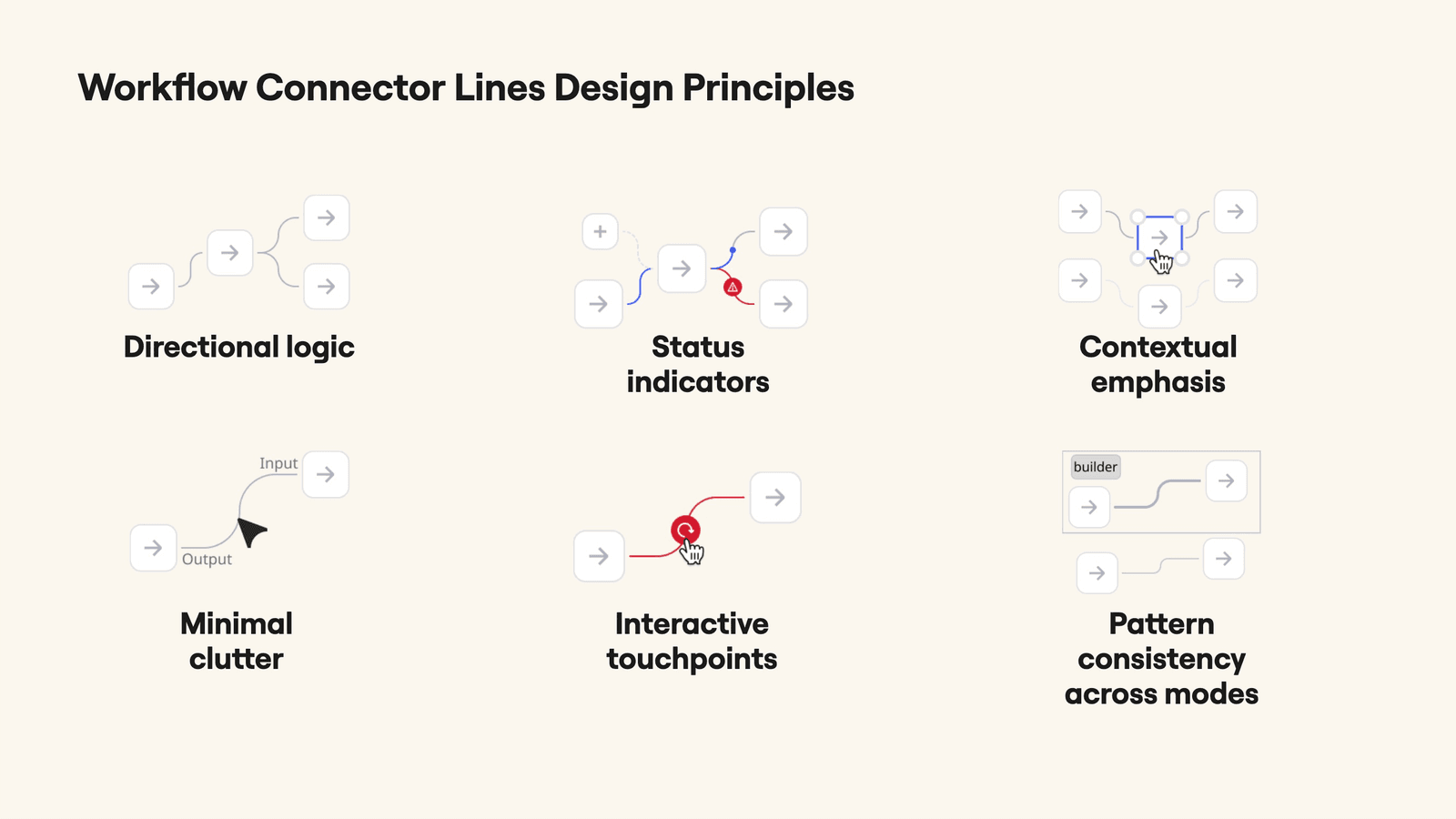
Progress indication on connector lines and the progress bar — showing real-time flow execution state.
Prototyping & Enablement
To help the team iterate faster, I built custom boilerplates that allowed designers to prototype Flows interactions quickly using Figma Maker or Replit. This accelerated our ability to test complex interactions like "run step," "skip step," and error handling without waiting for full engineering builds.
Prototyping boilerplate I built to empower the design team to test AI interactions rapidly.
Key UX Decisions
- Unifying the Prompt: One "prompt object" that works everywhere—click to generate, command-click to automate.
- Clarifying Roles: Sidekicks for quick, one-off "vibe" exploration; Flows for repeatable, templatized work.
- In-Context Prompting: Moved model/provider selection to the container’s own controls, removing abstract block management.
- Safer Iteration: Introduced "Run Step," "Run Next," and "Skip" controls to allow non-destructive testing.
Impact
The feature launched at Canvas '25 to immediate success. It achieved a ~75% CSAT score and quickly became one of Miro’s most important monetization levers.
Beyond the metrics, the "in-context" interaction model established a new standard for how AI features are built at Miro—reused across other product lines to avoid UI fragmentation.
Ahmed’s contributions transformed Flows from a promising but fragmented concept into a coherent, learnable, and shippable Canvas-first experience.
Times Square showcase of Miro Flows.